
How to import product to specific collection on your Wix store using Zonify?
With Zonify you have the ability to import product to specific collection using the Zonify extension.
First, you need to create a collection
1. Login to your Wix admin dashboard
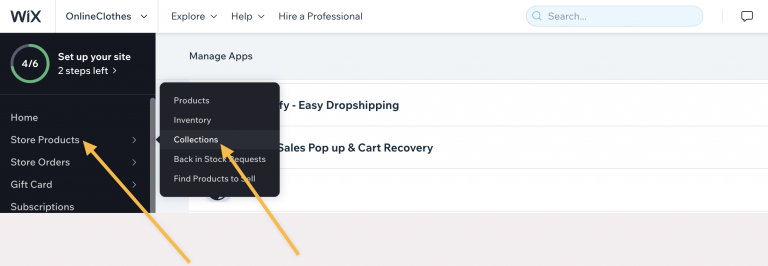
2. Click on Store Products/Collections from the side menu
3. Click on the "New collection" button
I’m 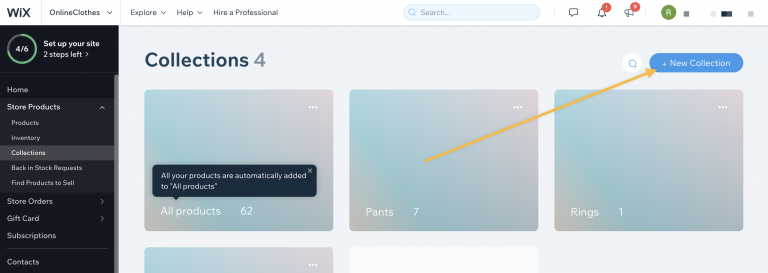
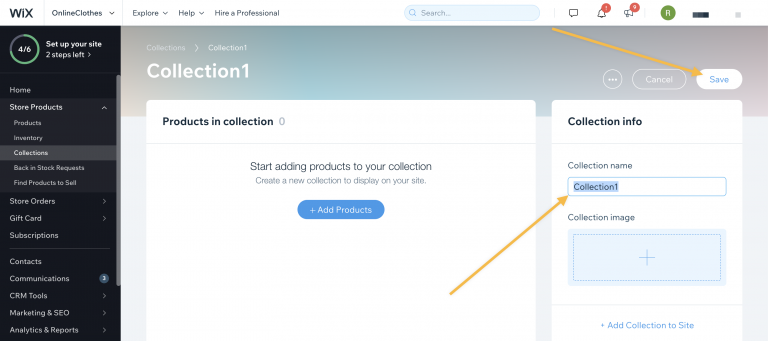
4. Give the collection a name, and click save.
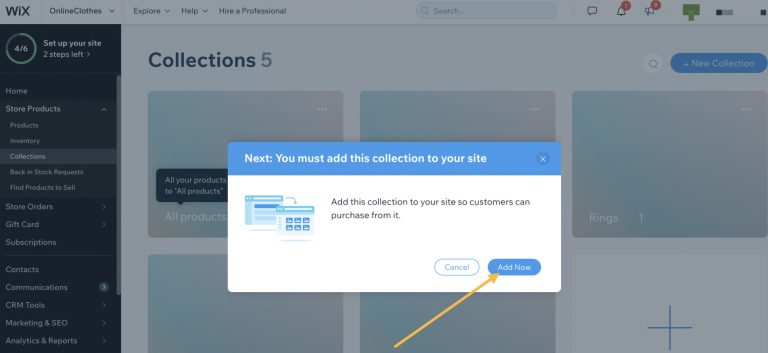
5. Click on "Add Now"
Next step use the Zonify extension to import product and pick the collection you have created,
Follow the guide below:
Visit Amazon product page URL
Click the "add" button on the top left side of the screen
Change the Title, Description, Pricing etc..
Scroll down and pick a "Collection" from the dropdown
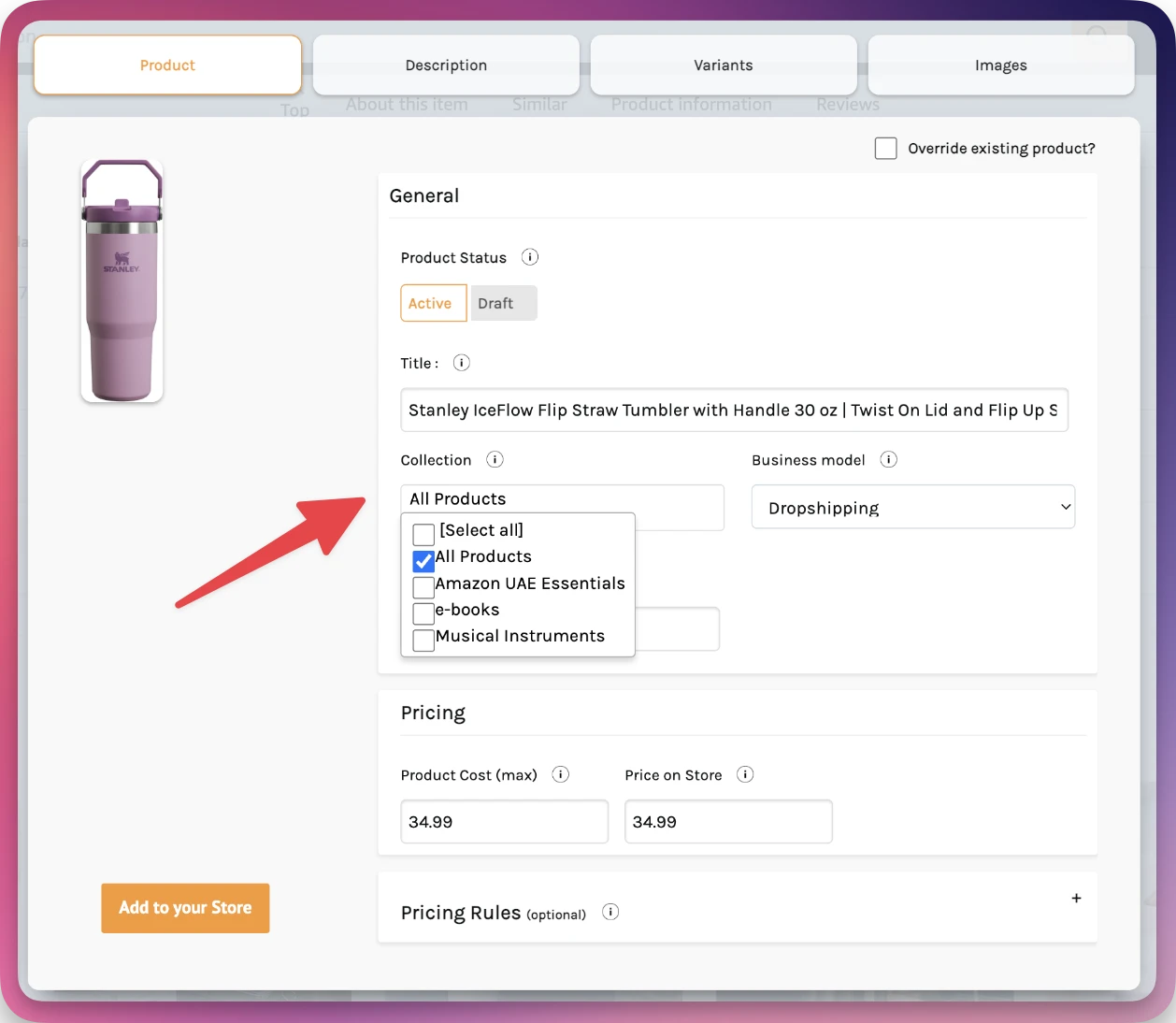
That's it, now you can proceed with the import process.
Still stuck? Email support@zonify.app and include your store URL.