
Earn Amazon Affiliate Commissions Using Wix Store - How to Signup?
Zonify gives you the ability to promote Amazon products and earn commissions through the Amazon affiliate program.
First, you need to signup for the Amazon affiliate program.
Follow the instruction below to create your own affiliate account with Amazon.
1. Signup for Amazon Affiliate Program.
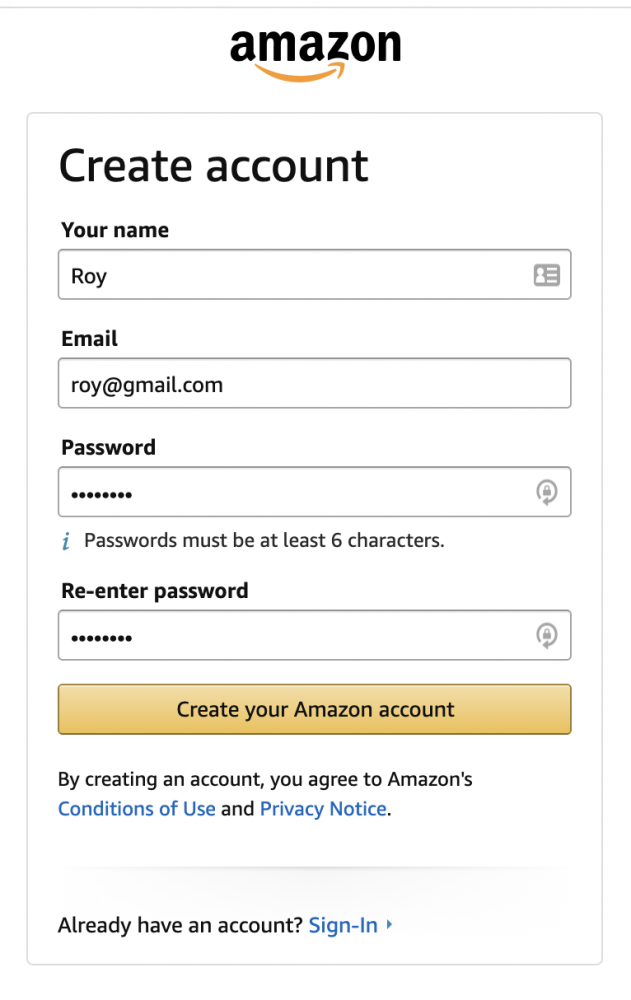
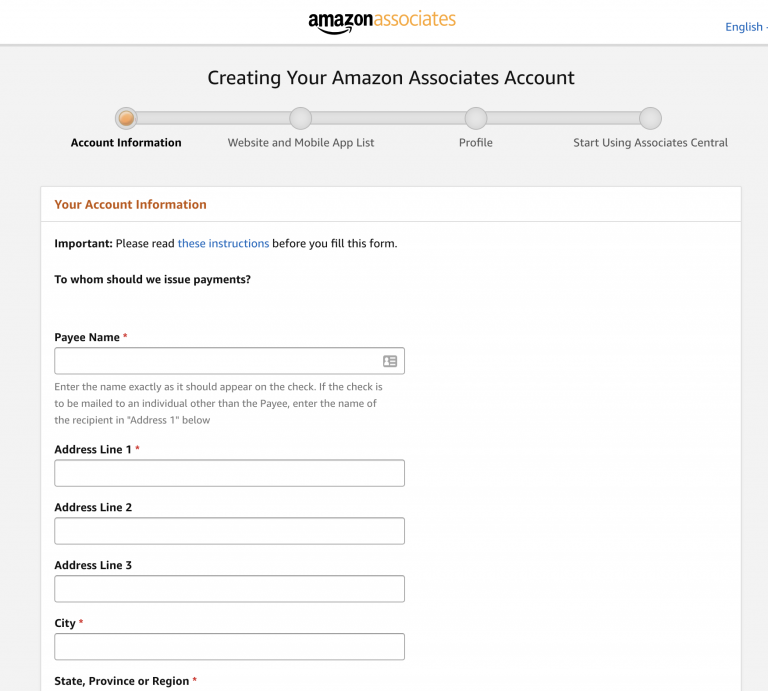
2. Fill in your information:
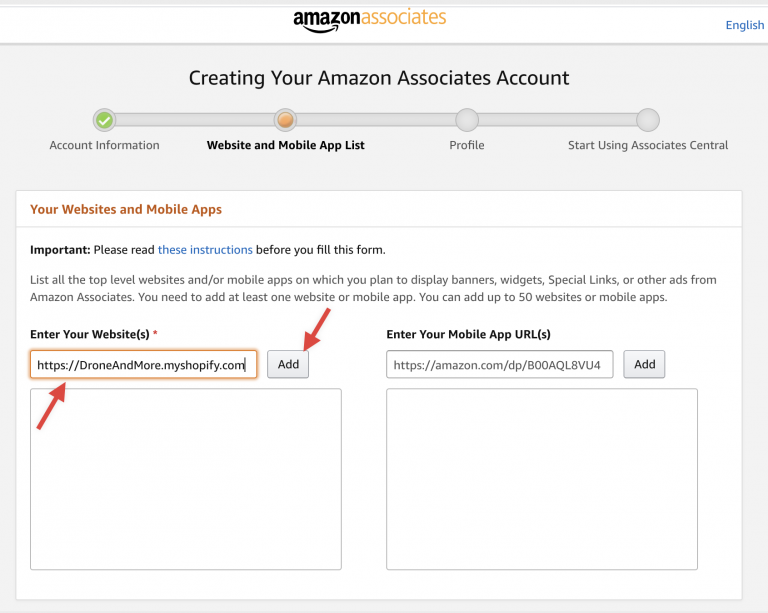
3. Add your store URL to the list:
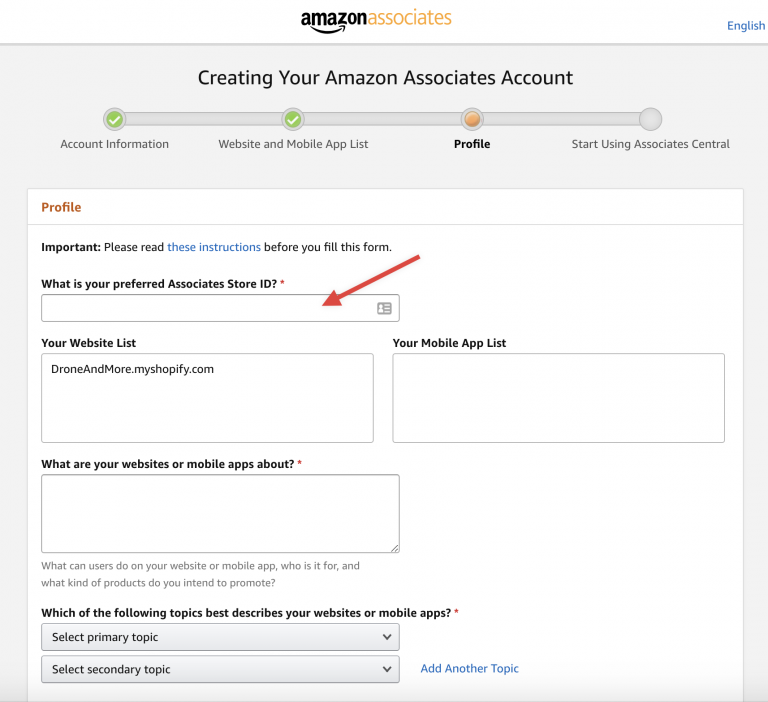
4. Enter your preferred Affiliate Id (this id will be used later on your affiliate links) and complete the rest of the fields.
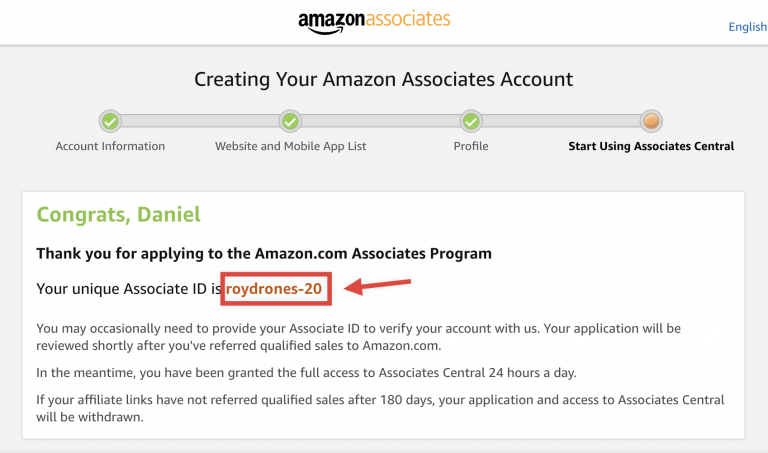
5. Once you complete the registration, you will get a unique Amazon Associate ID
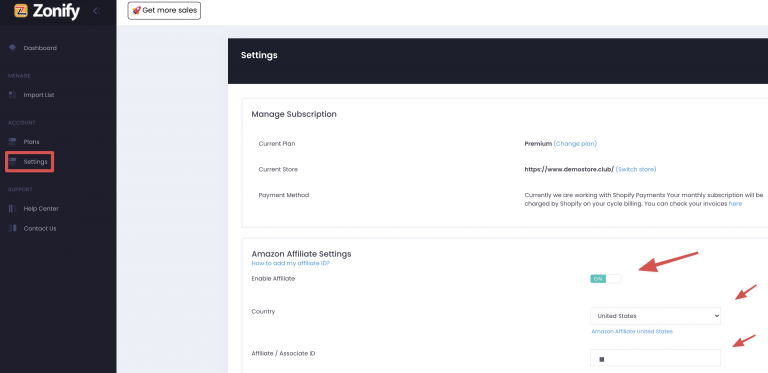
Copy your Amazon ID to Zonify's settings section, choose your Amazon country marketplace and enter a button text to be used when referring the product at your shop to Amazon.
Your store must always comply with Amazon's policies and guidelines.
https://affiliate-program.amazon.com/help/operating/policies
Still stuck? Email support@zonify.app and include your store URL.