
How to change the business model from Dropshipping to Affiliate
Each product has its own business model. You can change it at any time.
For a product already in your store
- Open your Zonify dashboard and click Import List.
- Find the product.
- In the Business model column, choose Affiliate or Dropshipping.
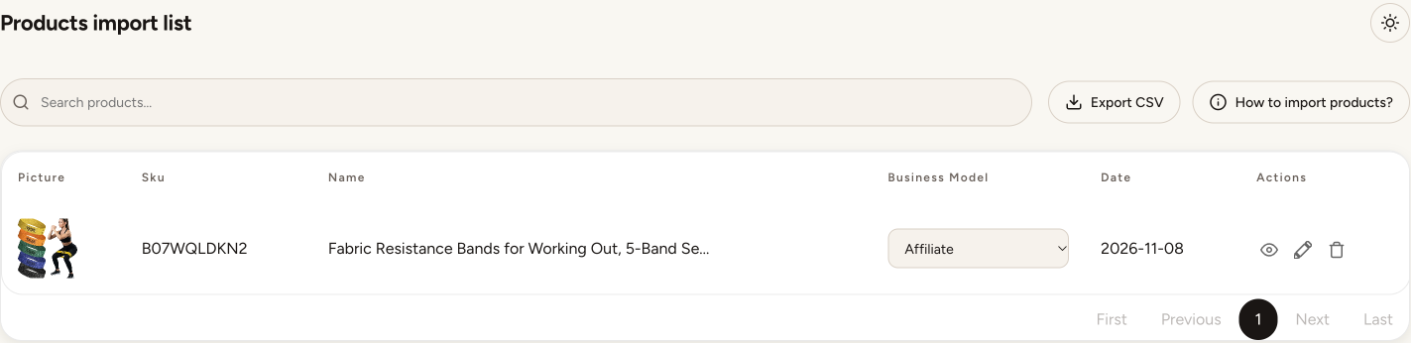
The change applies to your store right away. An affiliate product shows View on Amazon with your affiliate ID; a dropshipping product shows Add to cart.
While importing
Use Import as in the editor's Product tab.
Your store's default
Change it on your dashboard home or in the getting started checklist. New imports start with this model.
Before switching products to affiliate, make sure you have saved your affiliate ID and, on Shopify, turned on the app embed.
Still stuck? Email support@zonify.app and include your store URL.