
How to change the "Add to cart" button to "View on Amazon"?
There are two important changes to do in your store if you want to refer your visitor to purchase the product from Amazon and earn commission as an affiliate.
Change the "add to cart" button to "View on Amazon.
Disable any "quick view" or "Add to cart" buttons which appear on home page and collection page.
Change the "Add to cart" button to "View on Amazon"
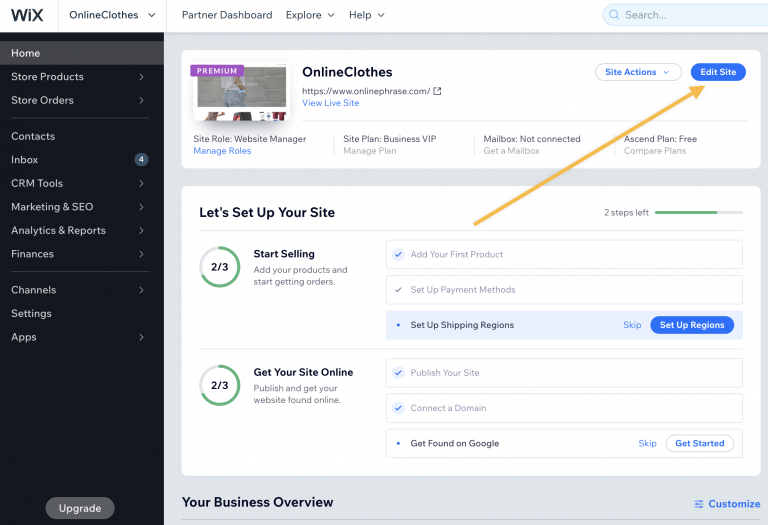
1) Log in to your Wix dashboard.
2) Select your store and click on "Edit site":
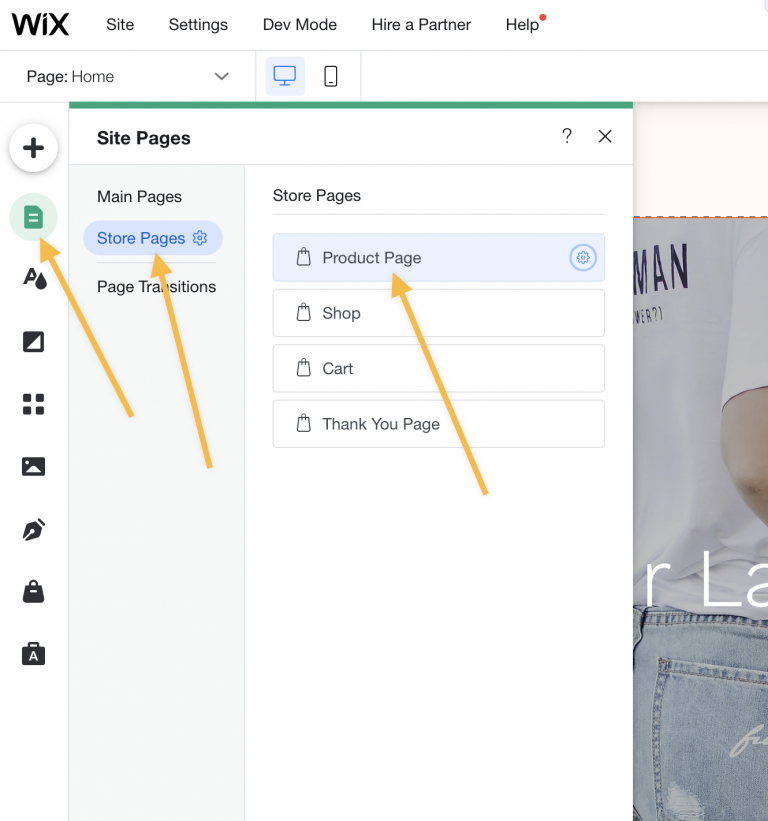
3) Click on the "Pages" icon from the side menu, select "Store Pages" and select "Product Page":
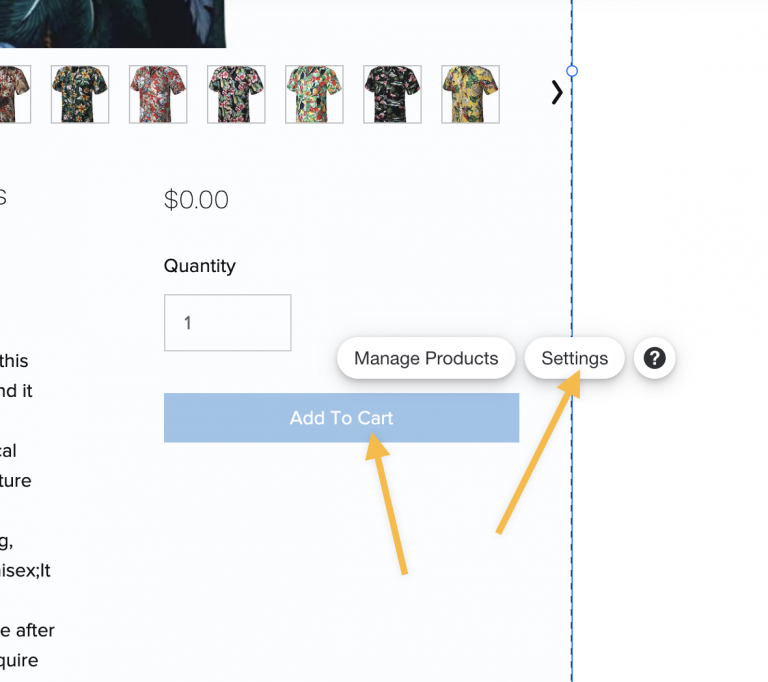
4) Scroll down to the "Add to cart" button and click on it, then select the "Settings" option
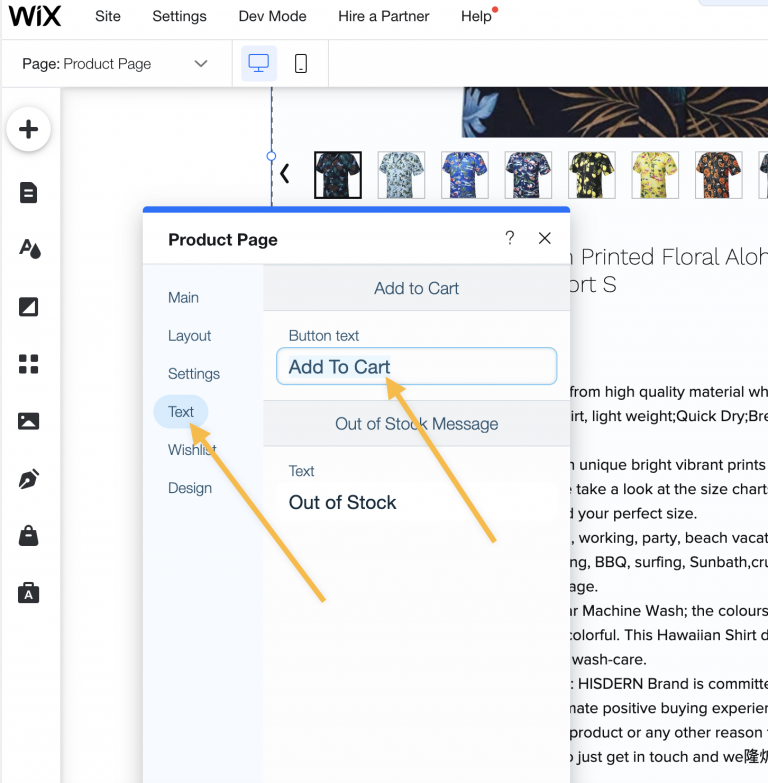
5) Select the "Text" tab and edit the button text to "View on Amazon"
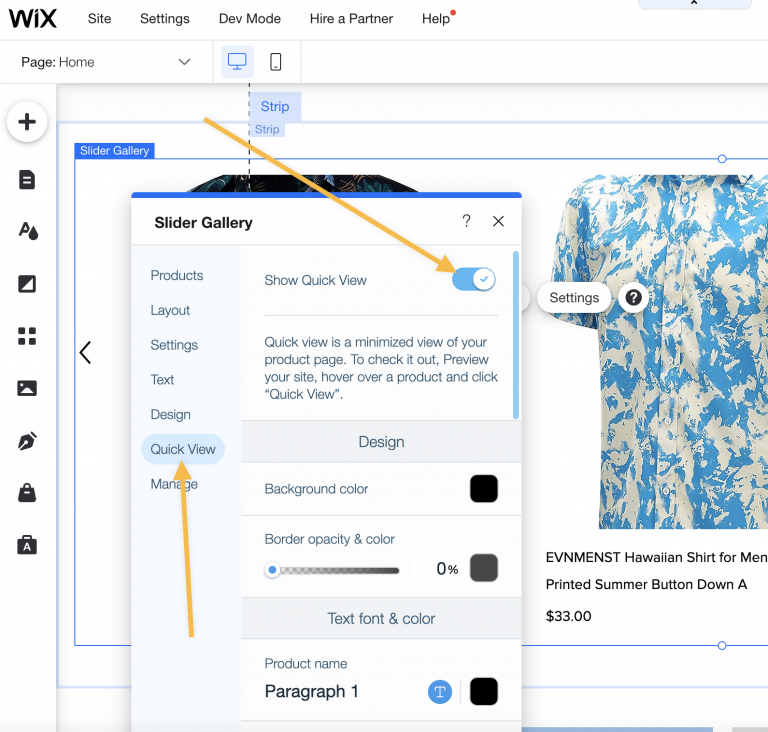
Turn off the "Quick View" feature on the Slider Gallery
1) Select again "Pages" from the side menu, "Site Menu", "Home":
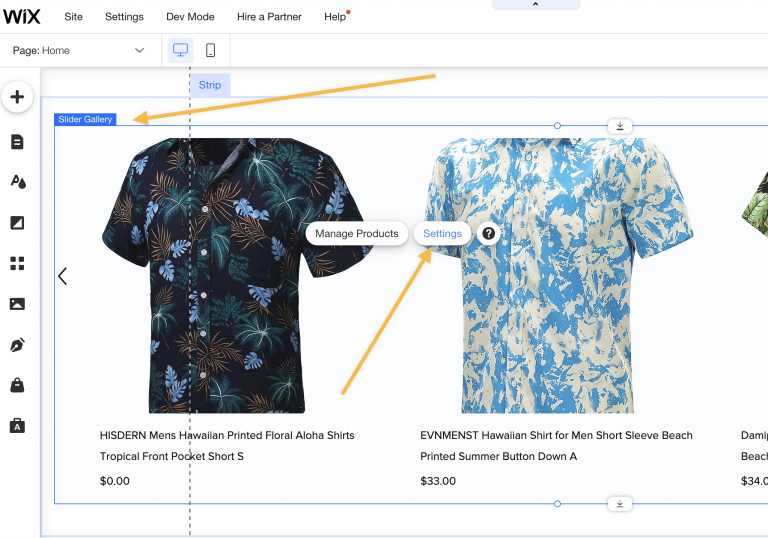
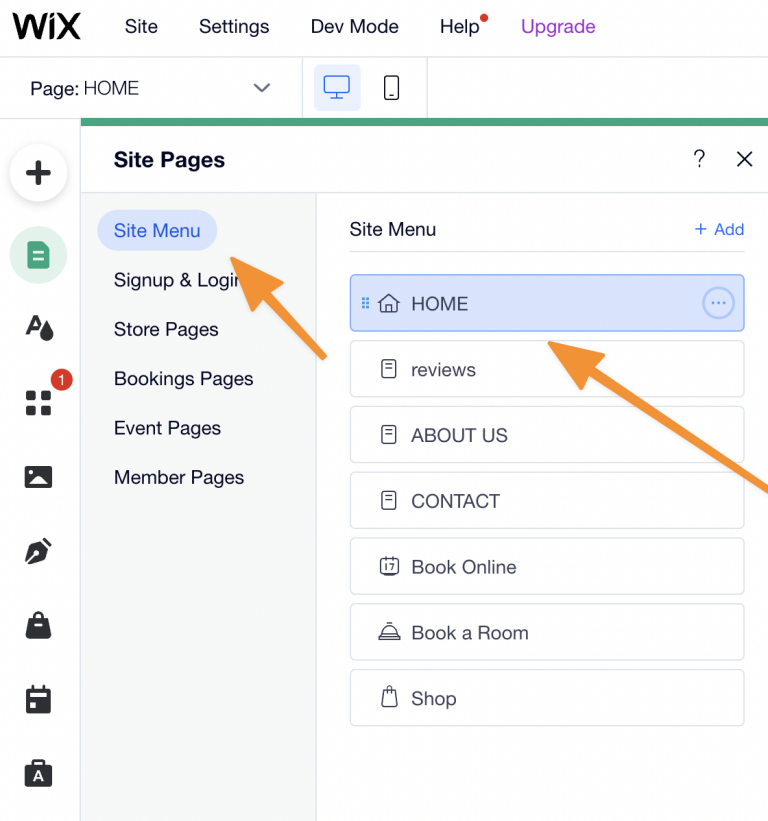 On your homepage, scroll down to the Products Slider section, click on it and select "Settings"
2) Select "Quick view" and disable the "Show Quick View" option:
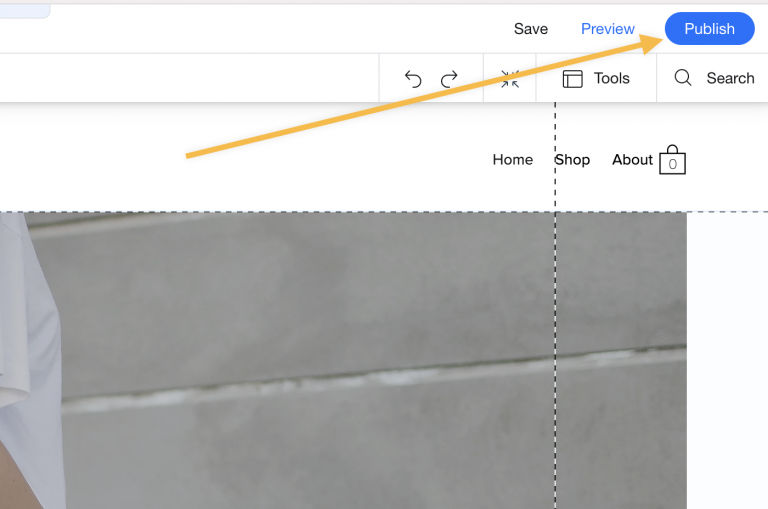
 9) Click on "Publish" in the right top corner to Publish the changes:
Check this guide to disable the quick view that you have in your store.
Turn off the "Add to cart" feature from your collection/homepage
Log in to your Wix dashboard and click the "Edit site" button.
Click on "Pages" from the side menu
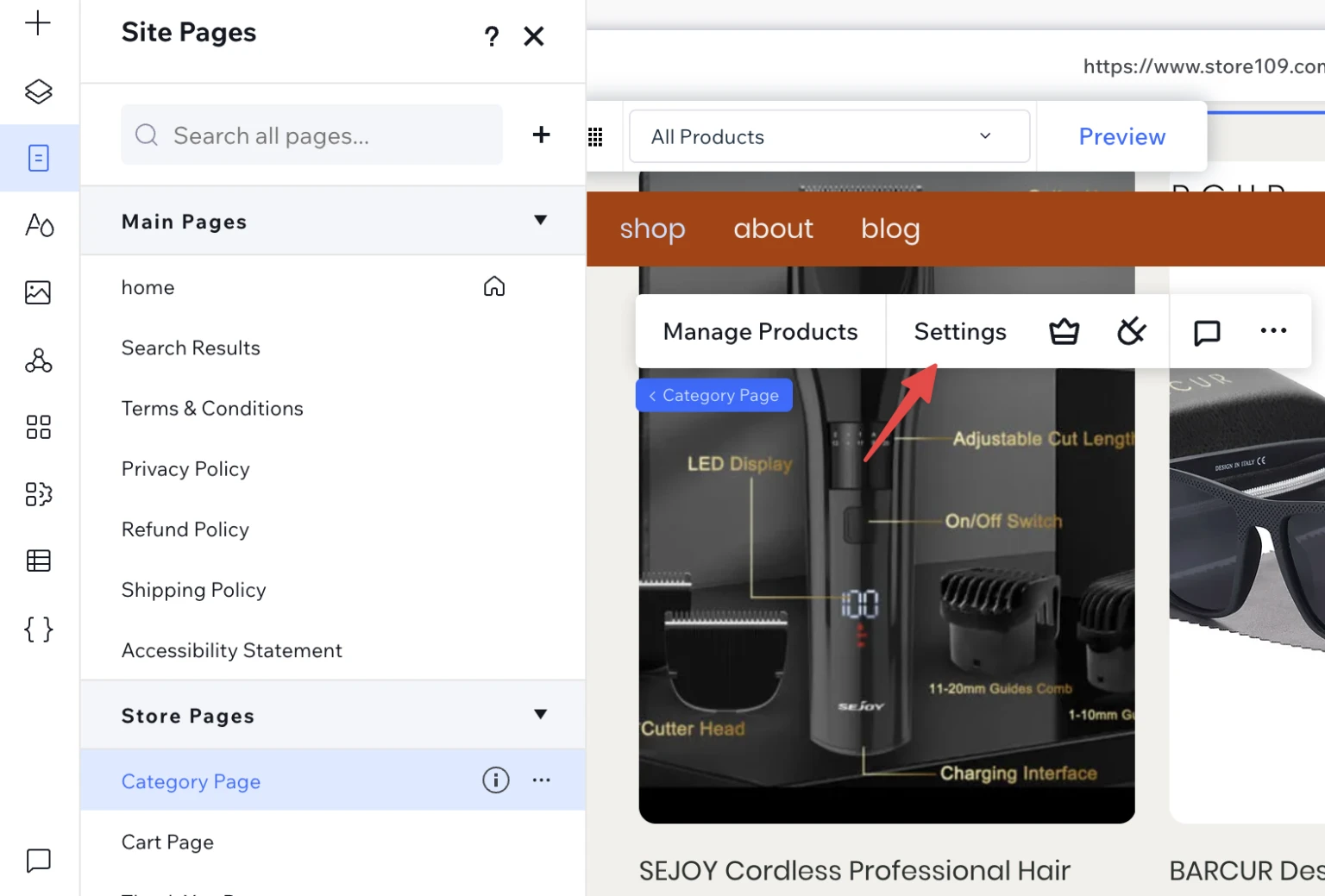
Select "Site Menu", then "Store pages" and the category page.
Click on the products and click "Settings"
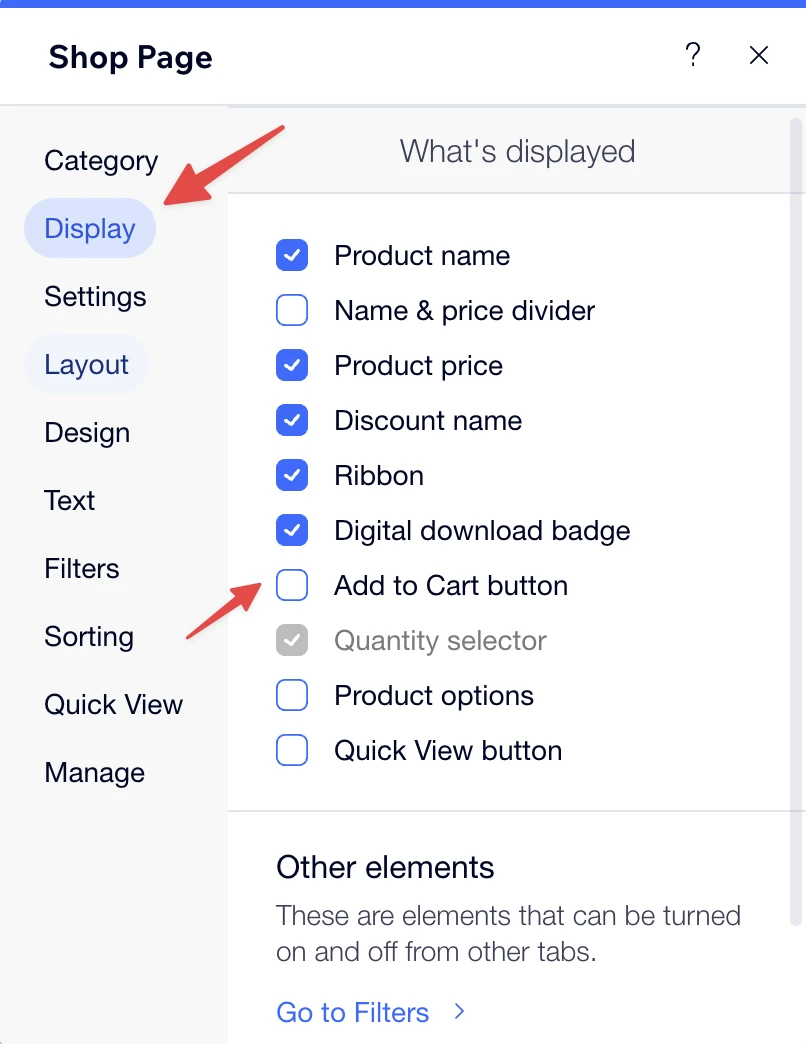
Select "Display" and deselect the "add to cart" option.
Screenshot (step4)
Screenshot (step5)
Still stuck? Email support@zonify.app and include your store URL.