
Zonify with Amazon affiliate program - How it works?
With the affiliate model, your Shopify store shows Amazon products with a View on Amazon button. Visitors buy on Amazon, and you earn a commission on qualifying purchases.
Set it up
- Install Zonify on your Shopify store.
- Join the Amazon Associates program and get your affiliate ID. See How to sign up.
- Save the ID in Zonify under Settings > Affiliate. See How to set up your Amazon affiliate ID.
- Turn on the Zonify app embed in your Shopify theme, so affiliate products show View on Amazon. See Show View on Amazon in your store.
- Import products with Import as: Affiliate.
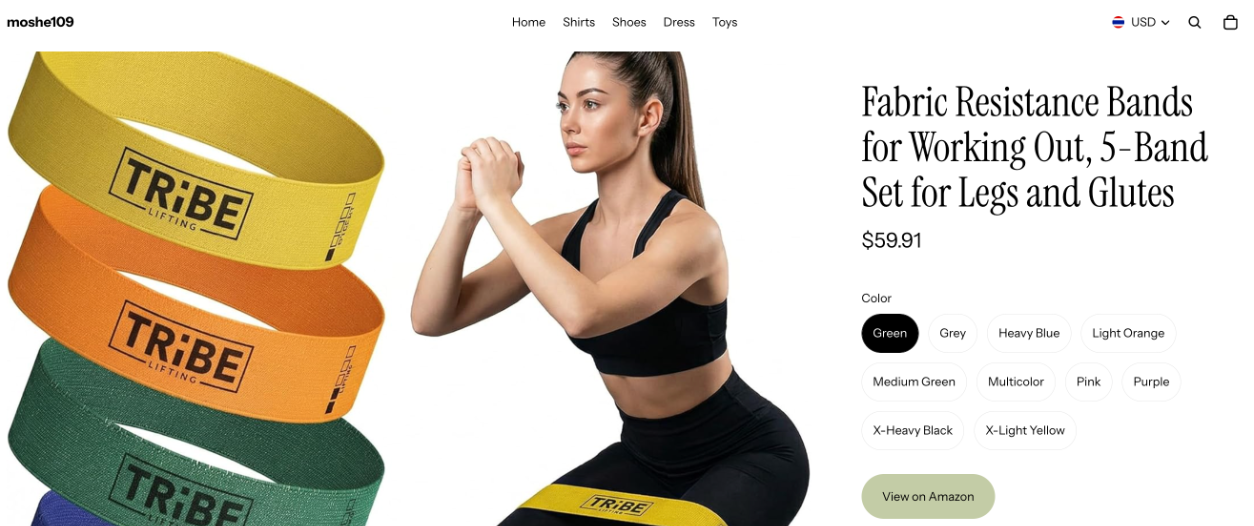
What happens when a visitor clicks
The visitor goes to the same product on Amazon, with your affiliate ID in the link. When they choose another color or size first, the link follows their choice. Amazon handles payment, shipping and returns.
Still stuck? Email support@zonify.app and include your store URL.