
Setting Up the Zonify Affiliate Model
To activate the Zonify affiliate model, follow the step by step below
Access the Shopify Admin Dashboard:
Log in to your Shopify admin account.
Customize Your Theme:
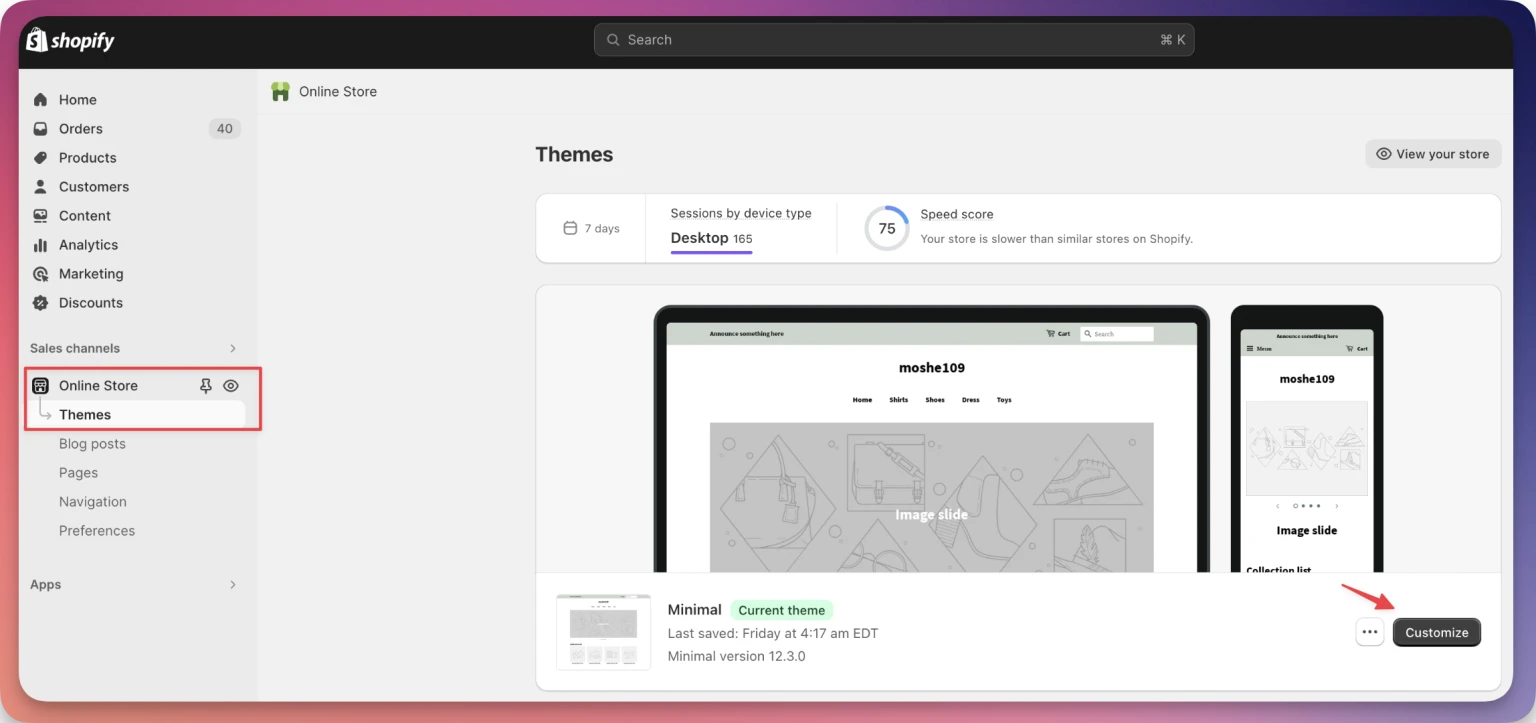
From the dashboard, select the 'Online Store' option.
Click on 'Themes'.
Choose the theme you're currently using and click on 'Customize'.
Activate the Zonify Embed Script:
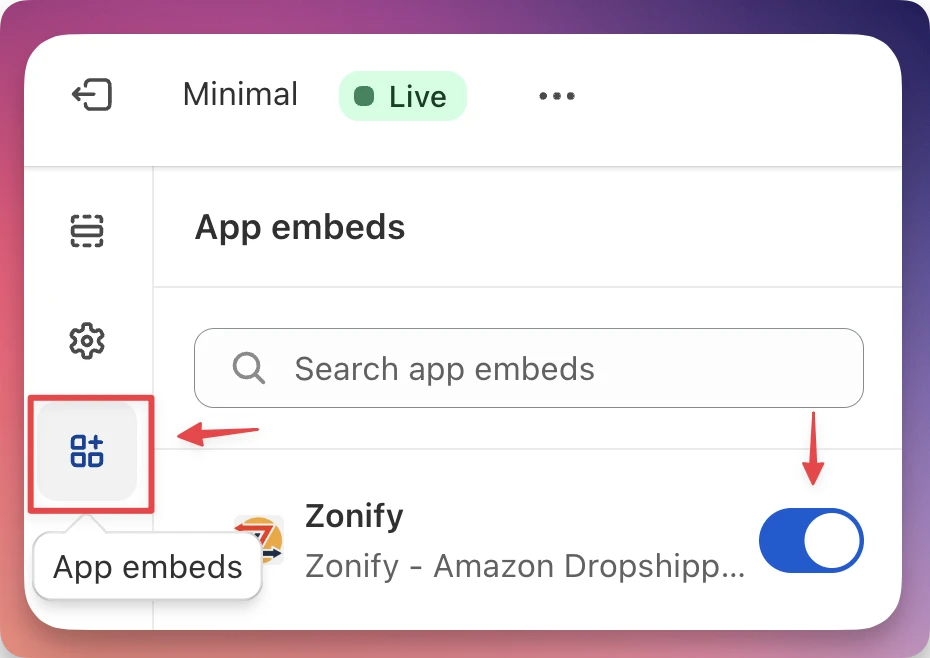
From the theme customization section, click the "App embeds" section and turn on the switch.
Set up the business model for each product:
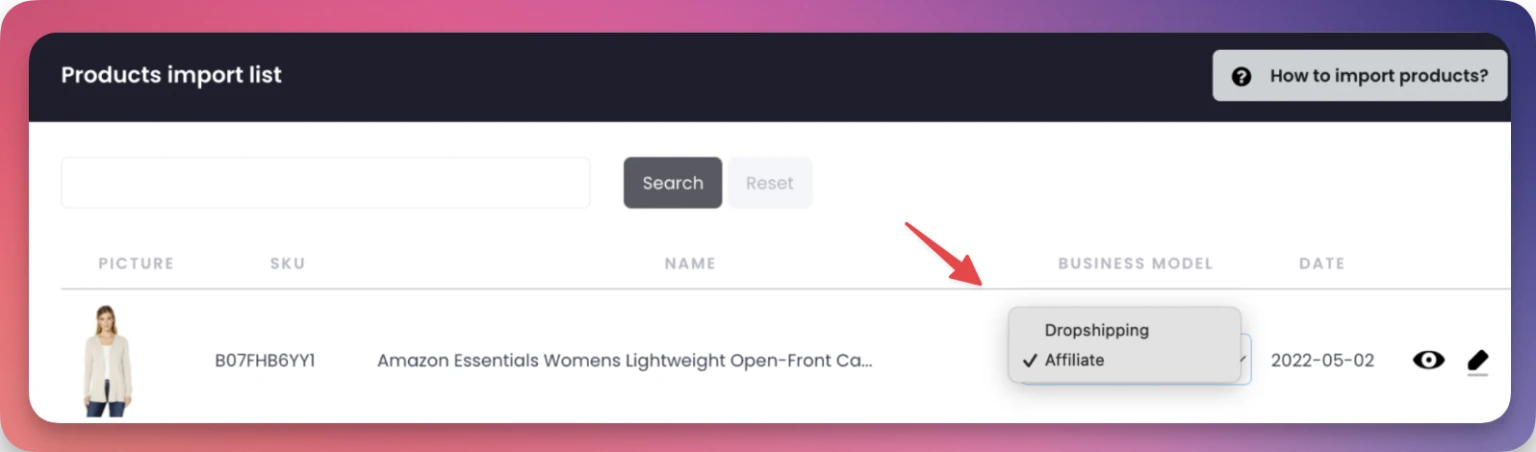
Head back to the Zonify admin dashboard and Click on the 'Import List'.
To apply the affiliate model for a particular product, change the dropdown selection to "affiliate". By doing so, the buy it now button will be transformed into a "view on Amazon" option, and will redirect the users to purchase the product on Amazon. (Save the modifications you've made).
Still stuck? Email support@zonify.app and include your store URL.