
How to import product to specific collection using Zonify?
You can put a product in a collection while you import it.
Shopify
- In your Shopify admin, go to Products > Collections and click Create collection.
- Give it a title and choose Manual as the collection type. Automated (smart) collections fill themselves by rules, so they aren't listed in Zonify.
- Save.
- When you import a product, pick the collection in the Collection field of the editor.
Wix
- In your Wix site dashboard, go to Store Products > Categories and create a category.
- When you import a product, pick it in the Category field of the editor. The "All Products" category is managed by Wix and can't be chosen.
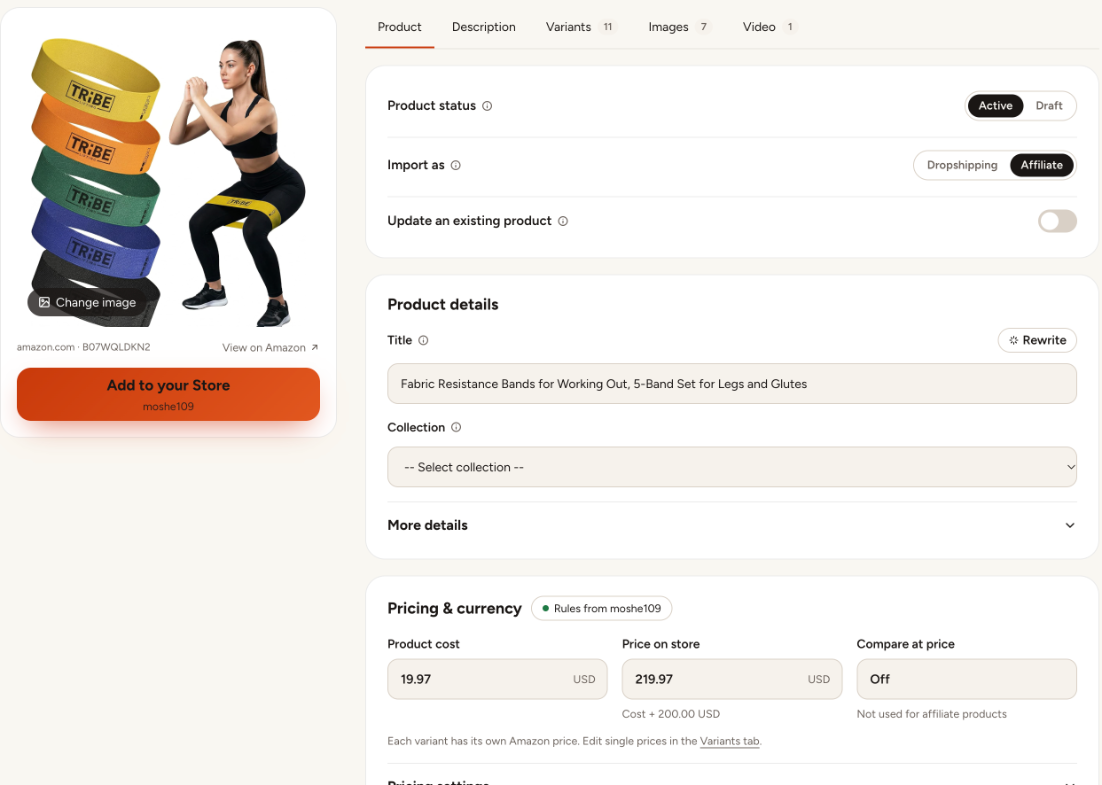
New collections show up the next time you open the editor.
Still stuck? Email support@zonify.app and include your store URL.