
How to Import products from Amazon to Shopify?
In this guide, you'll learn how to add products from our supported websites using our chrome extension
Follow the step-by-step guide below:
Install the Zonify Chrome Extension
Visit the Amazon.com website
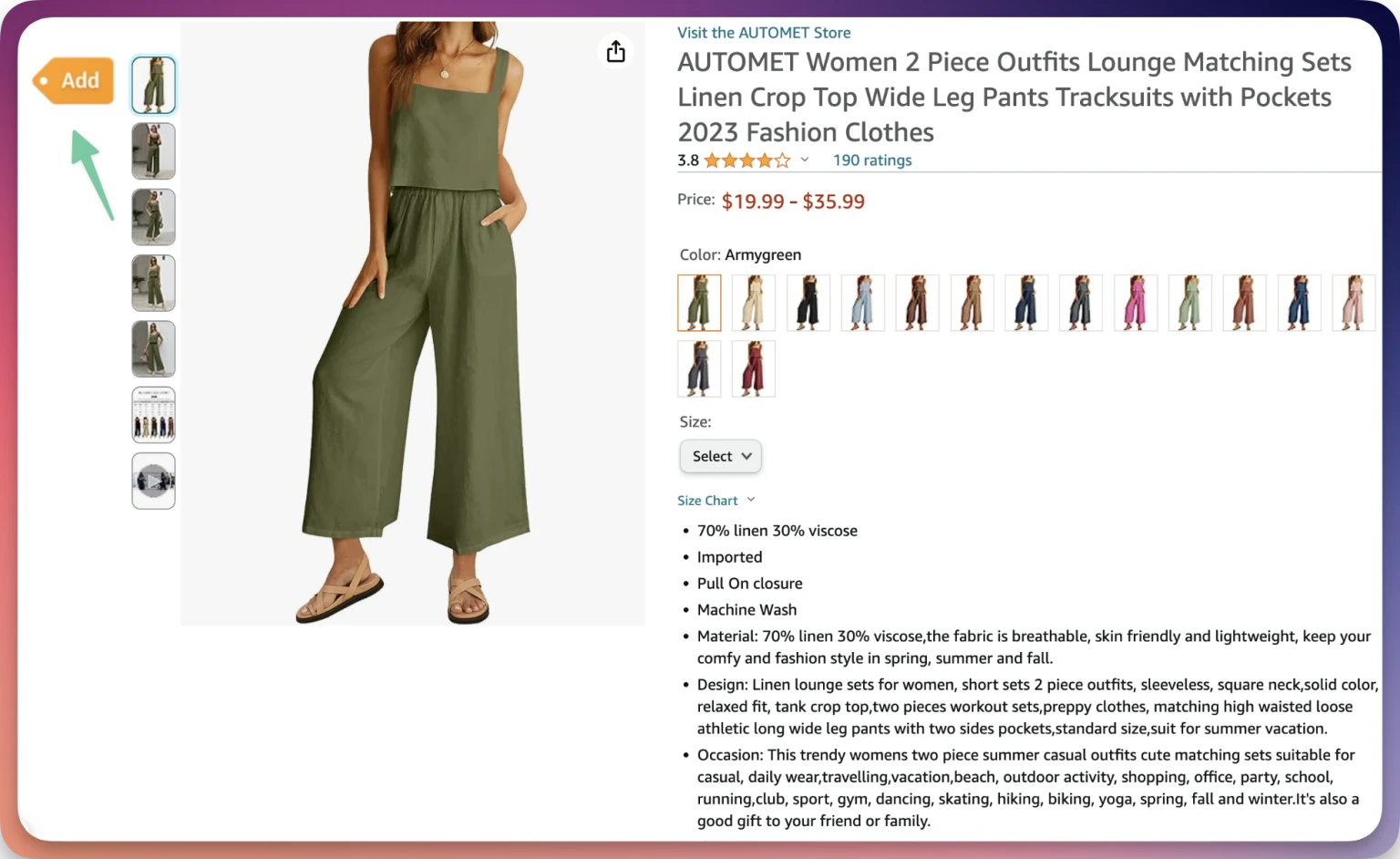
Find a product to import and visit the product URL
Click the "add" button that will appear on the top left side of your screen.
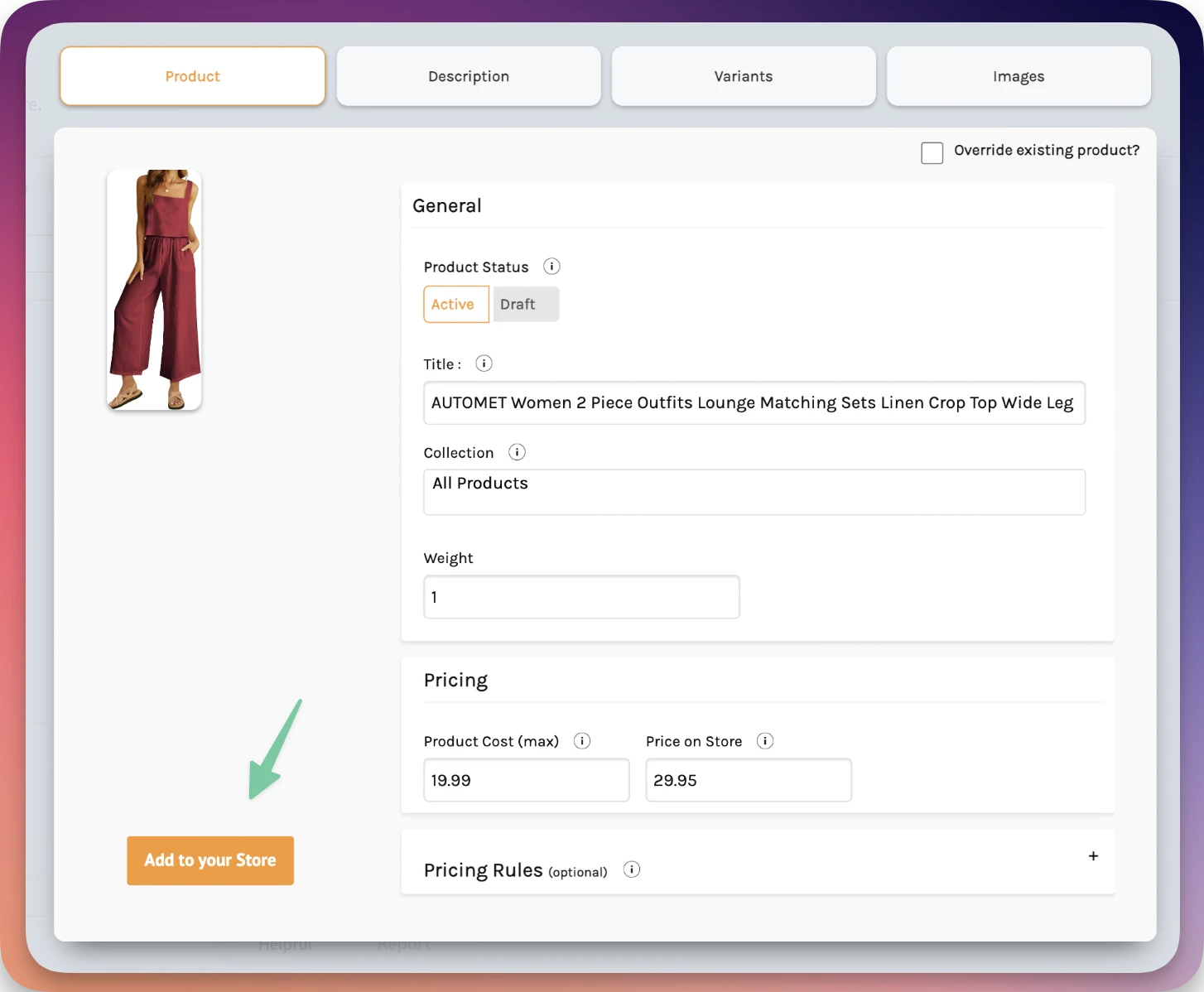
Click "add to your store" to import the item to your store
Still stuck? Email support@zonify.app and include your store URL.